The Free Online MIDI Editor & Player
Play, edit, and convert MIDI in one browser tab
Create and edit MIDI with the MIDI Agent
- Describe a new piece in plain words and the Agent writes it as MIDI you can edit
- Ask for a bass line, chords, a melody, or a drum part that follows the notes already there
- Select notes, a range, or a track, then say what to change: transpose, quantize, velocity, instrument, tempo, or time signature
- Edits stream into the editor as they are written, and the latest one can be undone in a click
Play MIDI files online with real instrument sound
- Drop in a .mid or .midi file and press play — no conversion step first
- A built-in SoundFont covers the 128 General MIDI instruments plus drum kits
- Follow every note on the piano roll while it plays, with loop and metronome
- Load your own .sf2 SoundFont to change the sound
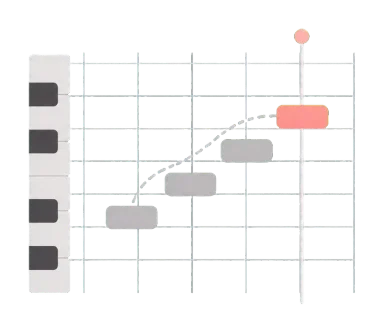
A full piano roll for note-level editing
- Draw, move, and resize notes with the pencil and selection tools
- Quantize to any grid from 1/1 to 1/128, including dotted and triplet values
- Transpose by semitone or octave and set velocity for a whole selection
- Draw velocity, pitch bend, volume, pan, expression, sustain, and modulation curves
Export MIDI, or convert MIDI to MP3 and WAV
- Download a standard .mid file for Ableton Live, Logic Pro, FL Studio, Reaper, Cubase, GarageBand, and more
- Render MP3 or WAV audio with the same SoundFont you hear in the player
- Audio is rendered in your browser at 44.1 kHz stereo, so the file is never uploaded to a converter site
- Exports are free, with no watermark
Multi-track arranging, tempo, and instruments
- See every track at once in the arrange view, then copy, move, or delete whole sections
- Give each track its own instrument and name, then mute or solo it to focus on one part
- Draw tempo changes on the tempo graph and add time signature changes on the ruler
- Open Type 0 and Type 1 files; Type 0 files are split into one track per channel
Free in any browser — no install, no account
- Works in Chrome, Edge, Safari, and Firefox on Mac, Windows, and Chromebook
- Open and play MIDI files on iPad, Android tablets, and phones; note editing works best with a mouse or trackpad
- Connect a USB or Bluetooth MIDI keyboard to play and record in Chrome or Edge
- Your MIDI stays in your browser unless you use the MIDI Agent, which saves that conversation to your account
Built for everyday MIDI workflows
A lightweight browser editor and player for quick changes, listening, learning, and handoff to a full DAW.
Songwriters drafting melodies
Capture a melody in the piano roll, or ask the MIDI Agent for a starting idea, then adjust its rhythm and pitch and export it to your DAW.
Producers polishing arrangements
Ask the MIDI Agent to add a bass line or drum part, fine-tune timing and velocity by hand, and bounce a WAV preview without opening a desktop DAW.
Music students learning MIDI
Practice piano-roll concepts such as note placement, velocity, tempo, tracks, and channels.
Composers preparing DAW handoffs
Build or clean up a MIDI sketch before continuing in Logic Pro, Cubase, or notation software.
Anyone playing a downloaded MIDI file
Open a .mid file you found online, play it back with SoundFont sound, see which tracks it contains, change the tempo, and save it as an MP3.
Educators demonstrating MIDI
Show MIDI playback and editing from a browser without installing a DAW on every device.
Frequently Asked Questions
Yes. You can open the editor, play a file, make changes, and export MIDI, WAV, or MP3 without paying or creating an account. Only the MIDI Agent uses credits.
Yes. Open the MIDI file, then choose File → Export → MP3 or WAV. The audio is rendered in your browser with the built-in SoundFont (or one you load) at 44.1 kHz stereo, so the file is never uploaded. It is free and needs no account.
It can write a new piece from a text description, or change the MIDI already in the editor: add a bass line, chords, a melody, or drums, and transpose, quantize, adjust velocity, change instruments, tempo, or time signature. Select notes, a range, or a track first to limit the change to that part. Edits are written into the editor where you can hear them, keep editing by hand, or undo the latest one. A new piece opens in the editor when it is empty; otherwise it is saved to your generation history so your current MIDI is not replaced.
The MIDI Agent requires you to sign in and uses 10 credits per request, whether it edits the current MIDI or writes a new piece. Playing, editing, and exporting MIDI stay free without an account.
Yes. Drop in a .mid or .midi file and press play — it works as a standalone online MIDI player with SoundFont playback and a piano-roll view of every track. Editing is optional.
No. It runs in a modern browser and does not require an account, a browser extension, or a desktop download.
Yes. It opens in any modern browser, so you can play MIDI files on iPad, Android tablets, phones, and Chromebooks. Drawing and dragging notes is designed for a mouse or trackpad, so detailed editing works best on a laptop or desktop.
You can open Type 0 and Type 1 Standard MIDI Files with .mid or .midi extensions. You can export a standard .mid file, WAV audio, or MP3 audio.
Yes. Choose Download MIDI File in the File menu (Save in Safari and Firefox) to get a standard .mid file, then continue in a DAW or notation application.
The editor shows MIDI as a piano roll. For notation, open the file in MIDI to Sheet Music, which renders a readable score and gives you MusicXML for MuseScore, Dorico, Finale, or Sibelius.
Yes. Open the editor settings to load a .sf2 SoundFont, which is saved in your browser for next time. In browsers with Web MIDI, such as Chrome and Edge, you can also connect a USB or Bluetooth MIDI keyboard to play and record notes.
Standard MIDI files work with common DAWs including Reaper, Ableton Live, Cubase, Logic Pro, FL Studio, GarageBand, Pro Tools, Studio One, Bitwig, and Cakewalk.
Playback, manual editing, and audio export happen in your browser. When you use the MIDI Agent, the current MIDI is sent with your request, and that conversation, including its MIDI and edits you make afterward, is saved to your account so you can reopen it.
This editor is designed for note-level MIDI work and quick sketches. Use a full DAW when you need audio recording, mixing, plug-ins, or a larger production session.
Open the MIDI editor now
Play a MIDI file, convert it to MP3, or ask the MIDI Agent to start a new piece — right in your browser, with no download or sign-up needed to play, edit, or export.