
01
Natural correction
Strength 35–60% · Retune 30–50 ms · Humanize 10–20 cents. For a singer who's mostly in tune and needs the few sour notes cleaned up without anyone noticing. Keep vibrato high.
Everything runs on our servers. Nothing to install, and it works the same on a phone.
Most people only have the finished track, so that's the default. We run AI vocal separation, tune only the voice, and mix it straight back over the original instrumental. If you already have an isolated acapella, pick that instead — it's faster and cheaper.
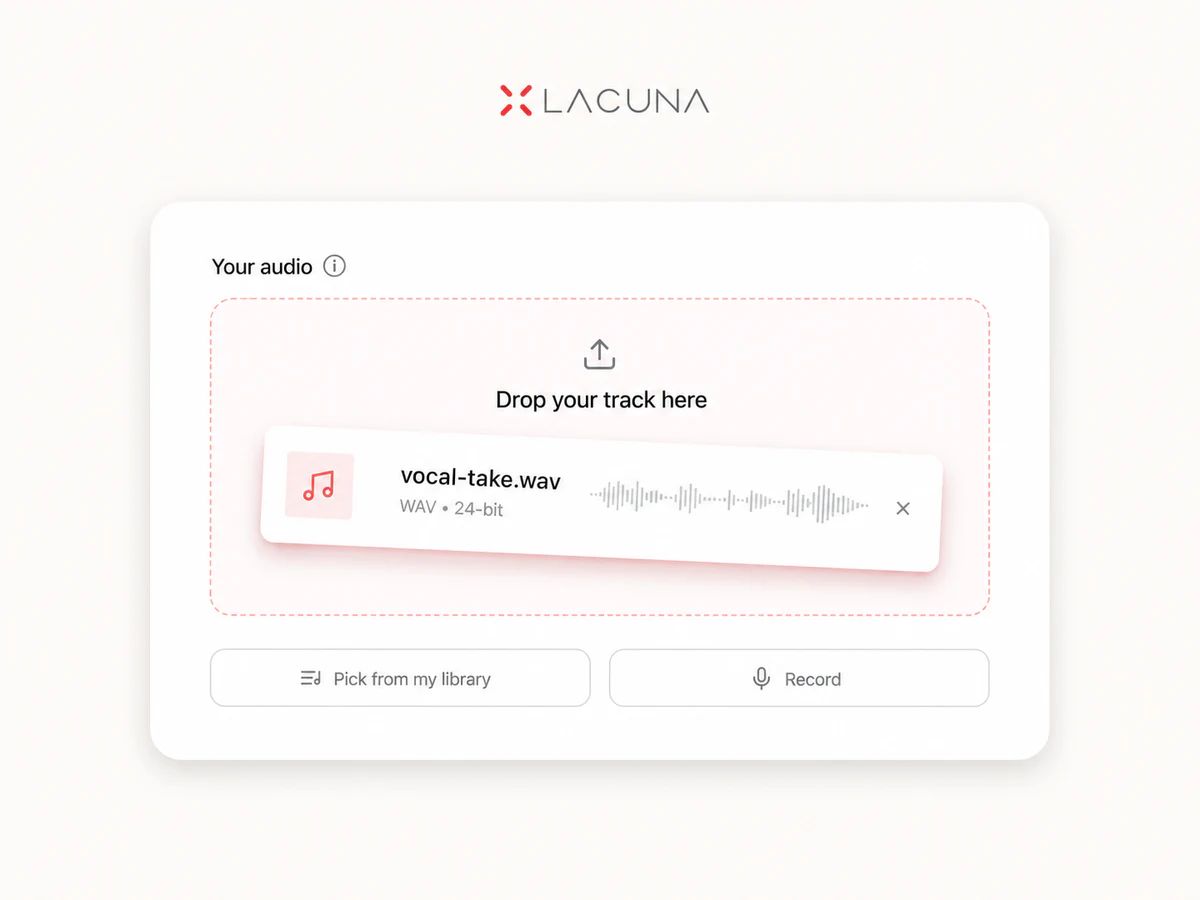
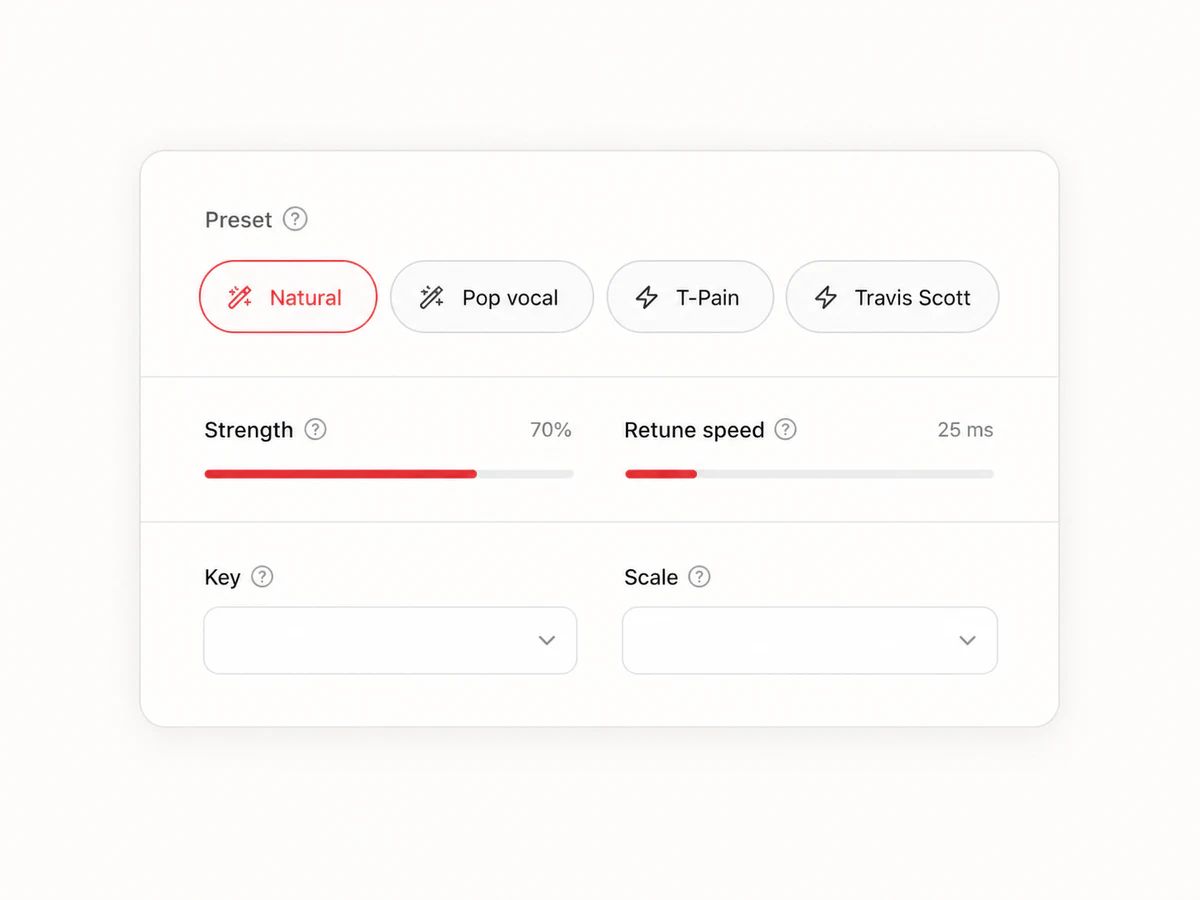
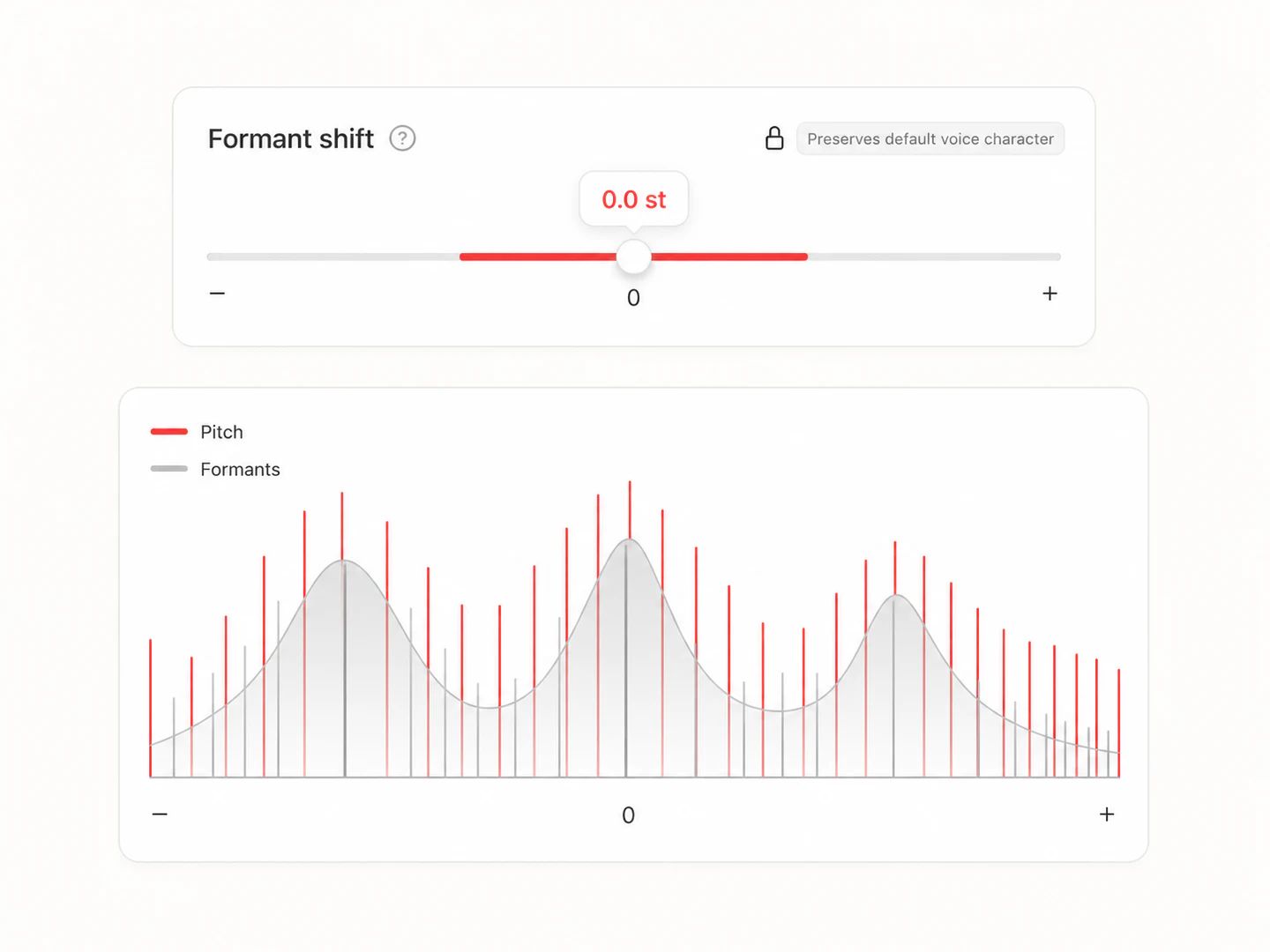
Natural is the default: audibly in tune, still recognisably you. One click gets you the hard T-Pain or Travis effect. Every slider underneath stays available — strength, retune speed, vibrato, formant, and a safety clamp.
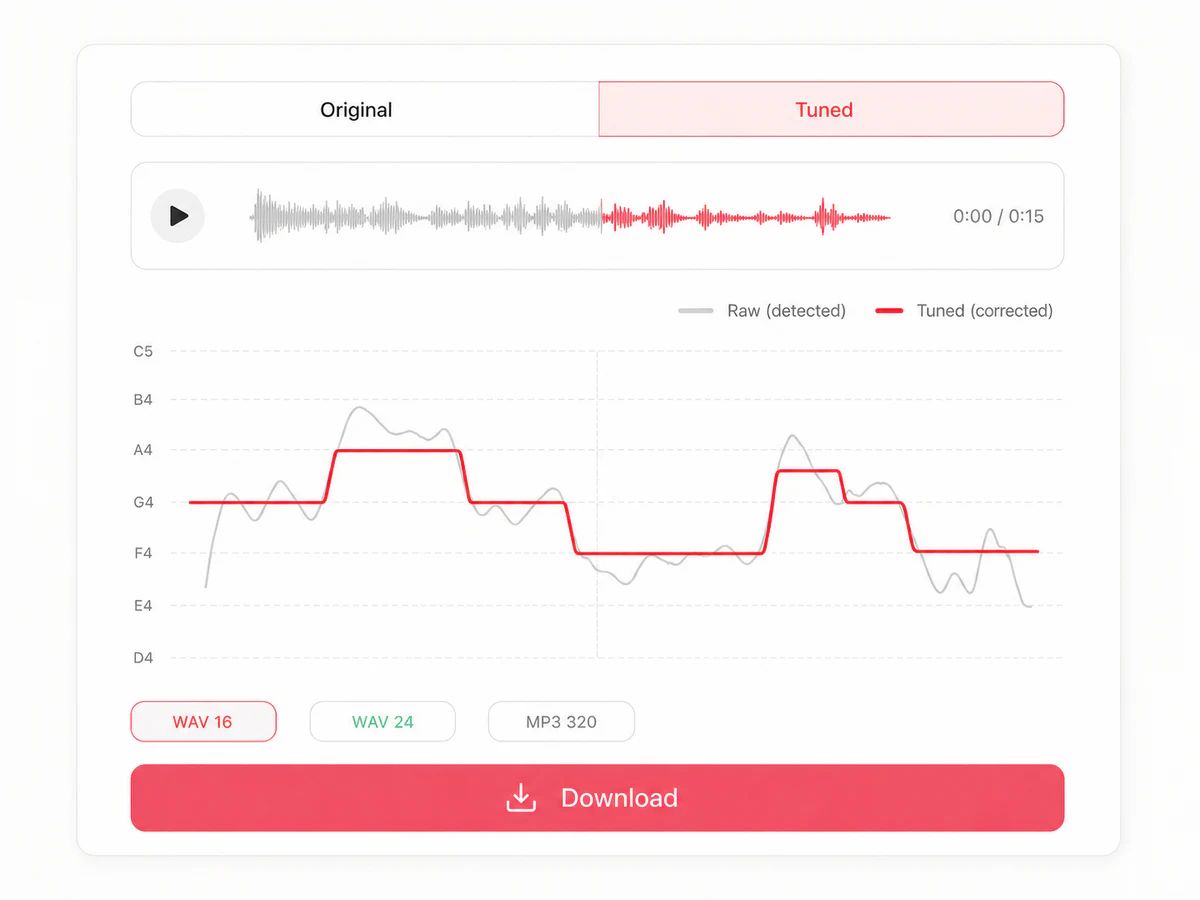
A/B between the original and the tuned version with no gap and no jump in playback position, and read the pitch curve to see exactly what moved. Downloading needs a Basic plan or above: MP3 320 at the normal price, WAV 16 or WAV 24 at twice the credits. No watermark either way.
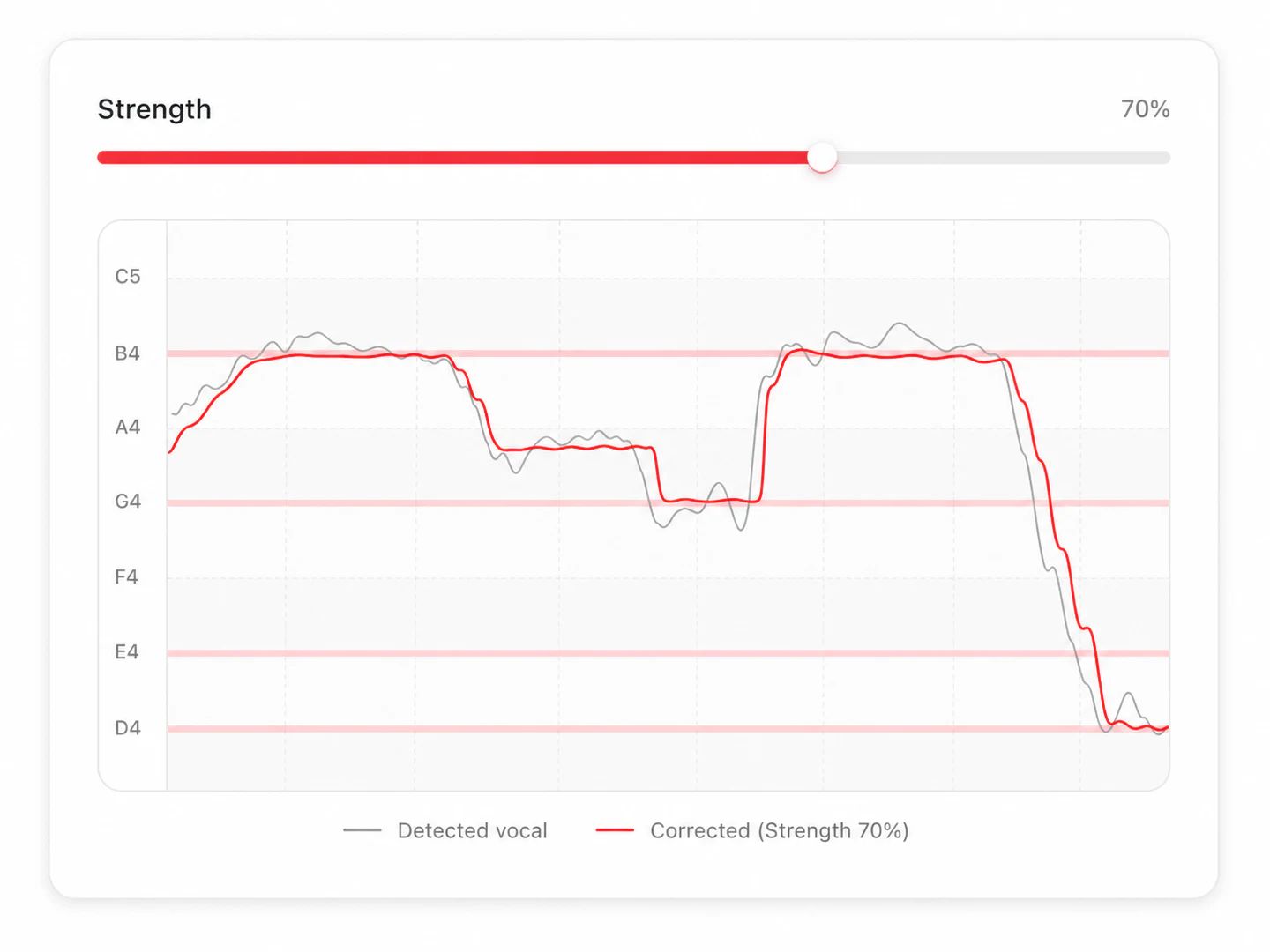
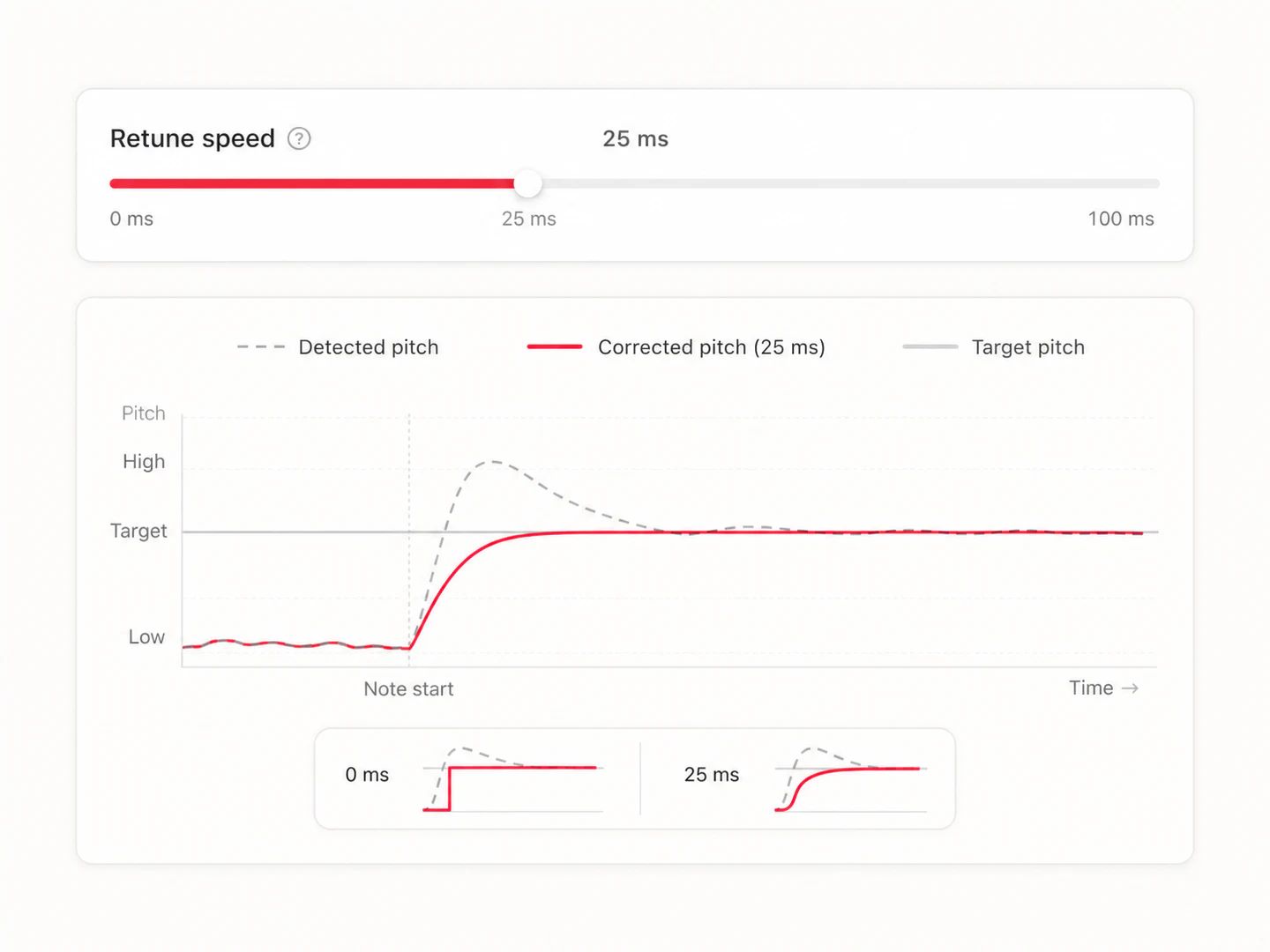
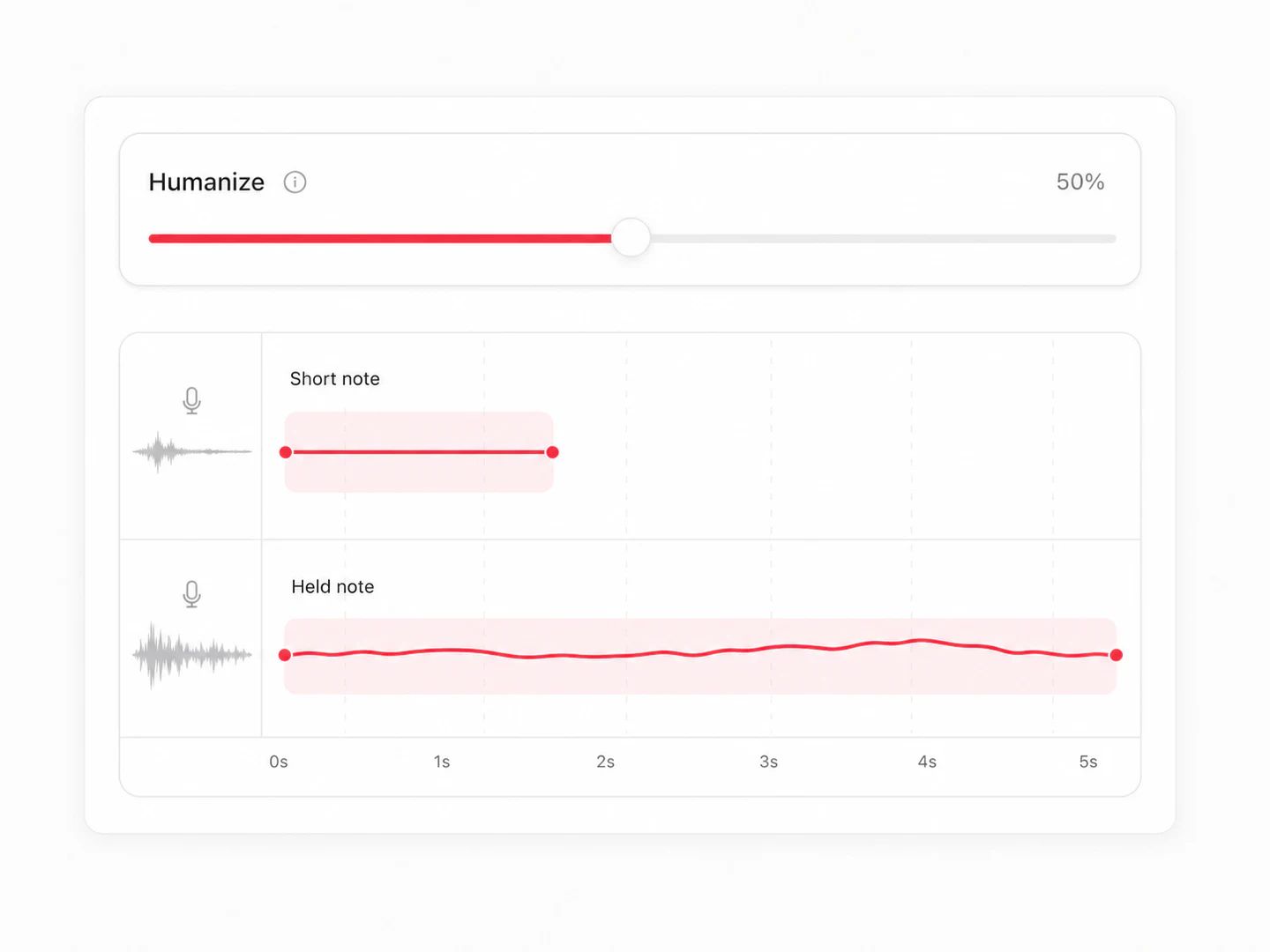
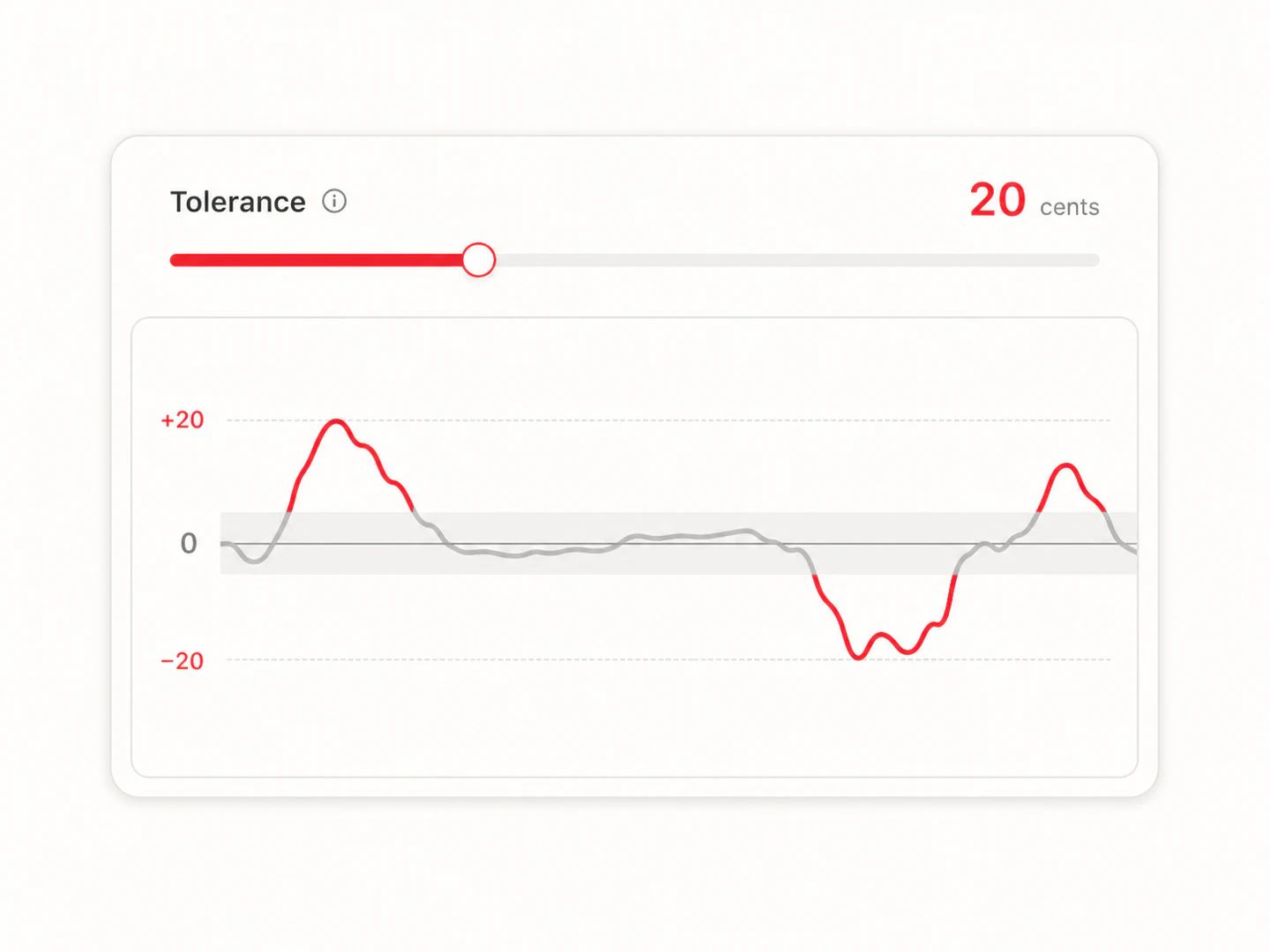
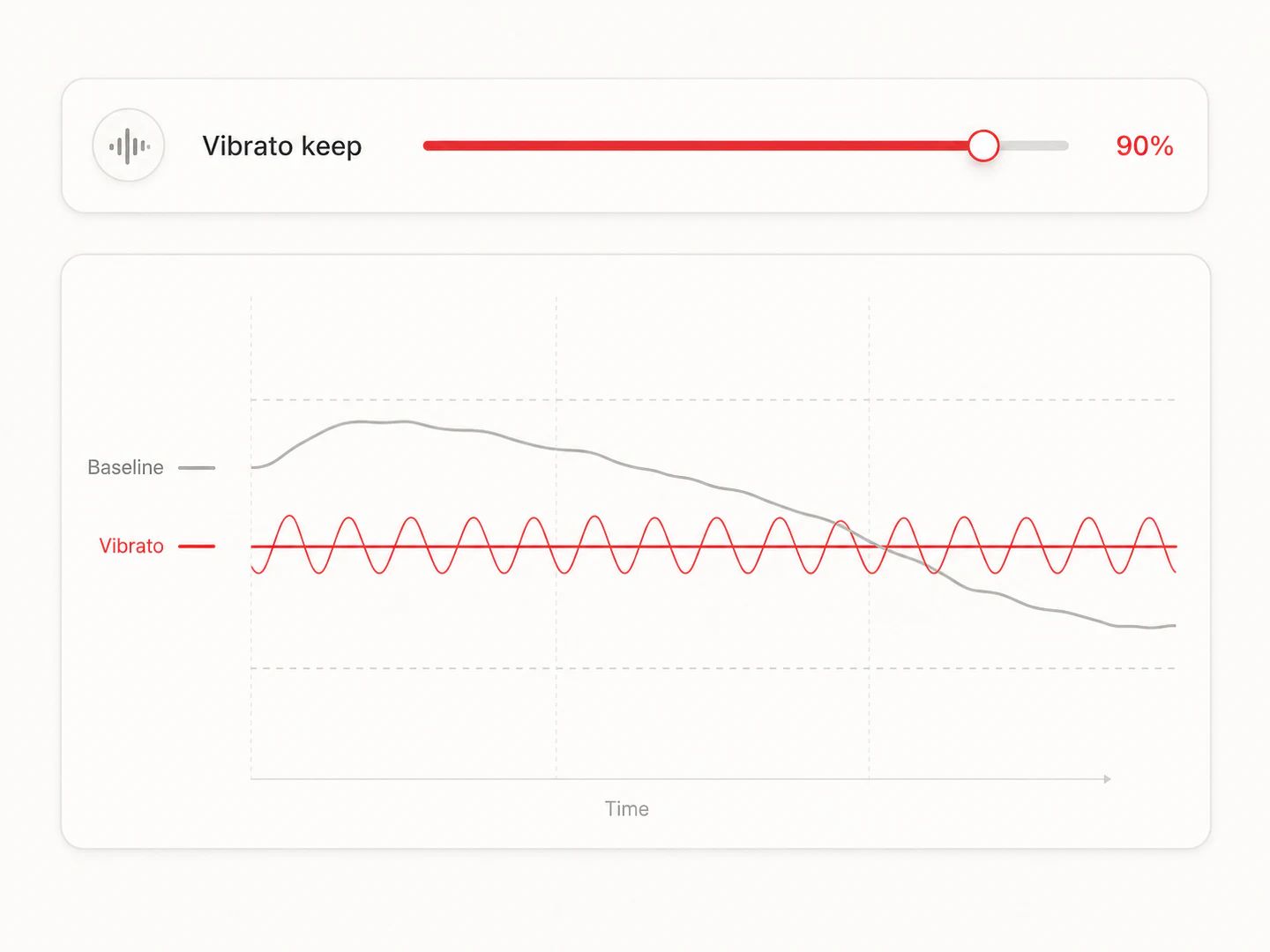
Presets get you close. If you want to dial it in yourself, start here.
Strength 35–60% · Retune 30–50 ms · Humanize 10–20 cents. For a singer who's mostly in tune and needs the few sour notes cleaned up without anyone noticing. Keep vibrato high.

Strength 70–100% · Retune 5–20 ms · Humanize 5–12 cents. Tight and obviously processed, but still short of full robot. Drop tolerance to zero so nothing slips past.

Strength 60–90% · Retune 15–30 ms · Humanize 6–14 cents. Backing layers need to sit tighter than the lead or they smear. Tune the doubles harder than the main vocal.
No trial countdown, no surprise paywall halfway through.
Listening to the before/after examples. Uploading a track or recording one here. Changing every setting, including the advanced ones. Playing, A/B-comparing and reading the pitch curve and spectrograms on every result you render.
Rendering a dry vocal end to end. No separation is needed, so you only pay for the tuning: the same 15 whichever preset you pick. WAV output doubles it to 30 and needs a Basic plan or above.
Rendering a full song end to end: AI vocal separation, tuning, and mixing back over the instrumental. That's 15 for the separation plus 15 for the tuning. WAV output doubles it to 60.
Downloading a tuned track needs a Basic plan or above, in MP3 or WAV. Credit packs on their own don't unlock downloads. Your results stay playable in the list either way.
Trying it is. You get monthly credits free when you sign up, and listening to the examples, uploading, recording, changing every setting and comparing your result against the original cost nothing extra. Credits are only spent on the render itself: 15 for a dry vocal, 30 for a full song (15 for the AI vocal separation plus 15 for the tuning), and WAV output doubles either. Downloading the tuned file needs a Basic plan or above. If a render fails, the credits go straight back.
No. Nothing is added to the audio, at any tier, and the MP3 320 comes out as clean as the WAV. Downloads need a Basic plan or above; WAV 16-bit and 24-bit use twice the credits.
A whole song works, and it's the default here. We run AI vocal separation first, tune only the isolated voice, then mix it back over the untouched instrumental. Almost every other online tuner requires you to bring your own acapella — which is the real reason people give up on them. If you do already have a dry vocal, pick that mode: it's faster and half the price.
Leave Key on Auto-detect. We read the key from the full mix, where the chords are, which is meaningfully more accurate than reading it from an isolated vocal. When the detection isn't confident we fall back to chromatic — every semitone allowed — and tell you so, rather than guessing and dragging your vocal onto the wrong notes. You can always override it.
Auto-Tune is a plugin you buy and run inside a DAW, with note-by-note graphical editing. This runs in a browser, takes a finished song rather than an isolated track, and gives you the parameters that matter for a quick result rather than a full editing surface. If you're mixing an album professionally, buy the plugin. If you want a demo in tune in two minutes, this is faster.
Two causes. First, pitch detection occasionally misreads a note by an octave — common on deep male voices and breathy singing — and the tuner obediently drags the whole phrase there. We clamp the maximum shift and repair octave jumps before anything is applied. Second, unvoiced consonants like s and t have no pitch at all; feeding them through a pitch shifter produces a metallic whistle. We detect those and pass the original waveform through untouched.
Not unless you ask it to. We separate the slow pitch baseline from the vibrato riding on top, correct only the baseline, and add your vibrato back at whatever proportion Vibrato keep is set to. The hard presets set it to zero on purpose — that's part of the effect.
Yes. All the processing happens on our servers, so there's nothing to install and no difference between phone and desktop. Nothing depends on your device's audio hardware.
It's processed on our servers, working files are deleted after processing, and nothing is used to train models. Your results stay in your own history until you delete them.
Yes — it's one click. The robotic quality doesn't come from setting retune speed to zero, which is what most tutorials tell you; it comes from holding each note at a single fixed pitch for its whole duration. Our T-Pain, Travis Scott and Cher presets all do that properly, which is why they sound like the records.
Pull the vocal or the instrumental out of any song.
Split a track into vocals, drums, bass and more.
Master your finished mix against a reference track.
Get word-level synced lyrics from any audio.
Turn a melody into editable MIDI notes.
Turn a finished song into a lyric video.
Fix the title, artist and cover art on the file you just tuned.
Tune a dry vocal or full song with natural correction or a hard effect, then export WAV with no watermark.