
01
Music apps and games
Let users generate original tracks, score prototypes, and create music for interactive scenes without leaving your product.
Available on Pro and Ultra plans with credit-based usage.
cURL quickstart
Terminal
curl https://www.lacuna.fm/api/v1/music/generations \
  -H "Authorization: Bearer $LACUNA_API_KEY" \
  -H "Content-Type: application/json" \
  -d '{
    "style": "lofi hip hop, mellow piano, 70 bpm",
    "title": "Late Night Study",
    "instrumental": true,
    "model": "aether"
  }'
POST /api/v1/music/generationsCreate API key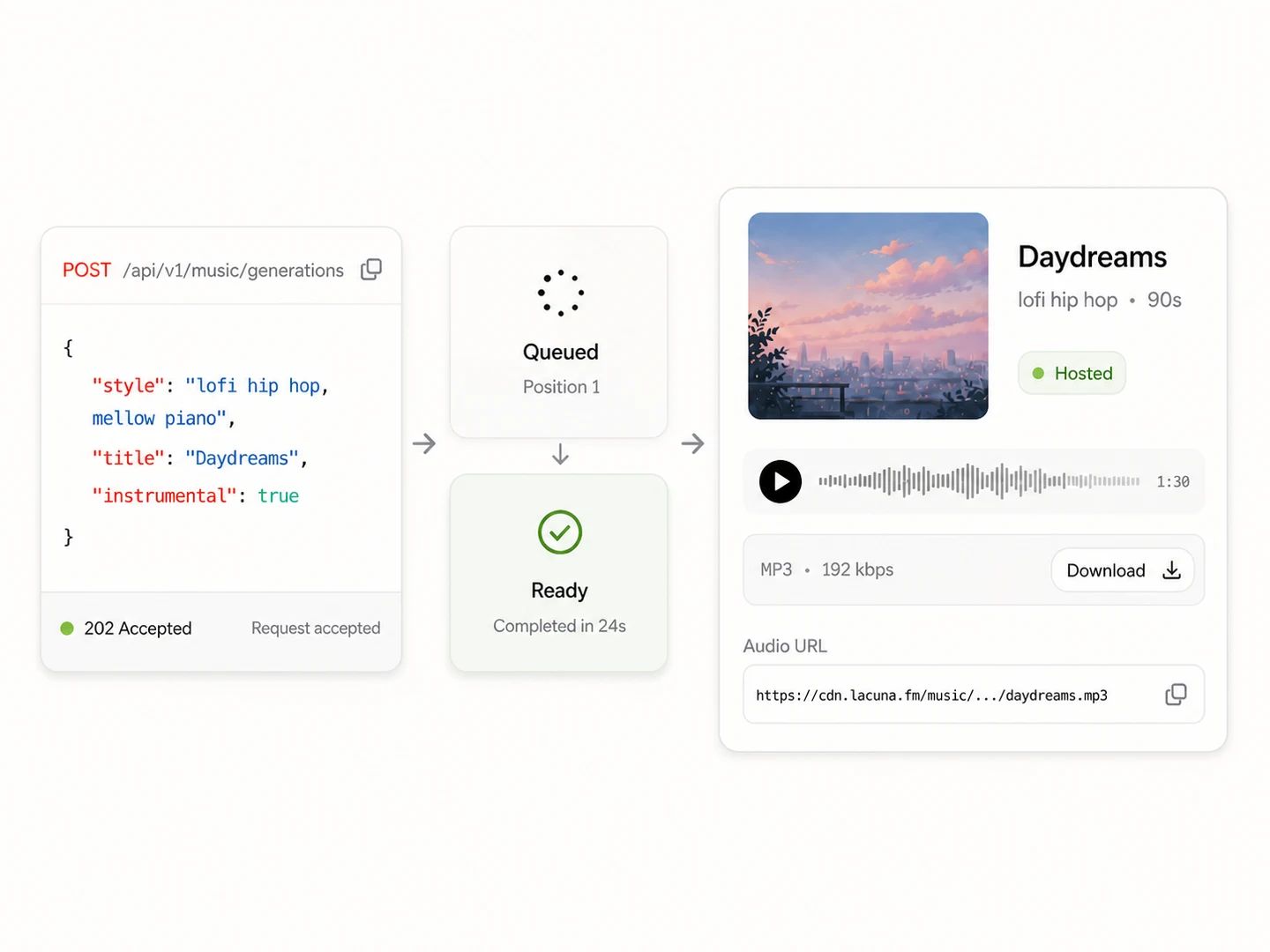
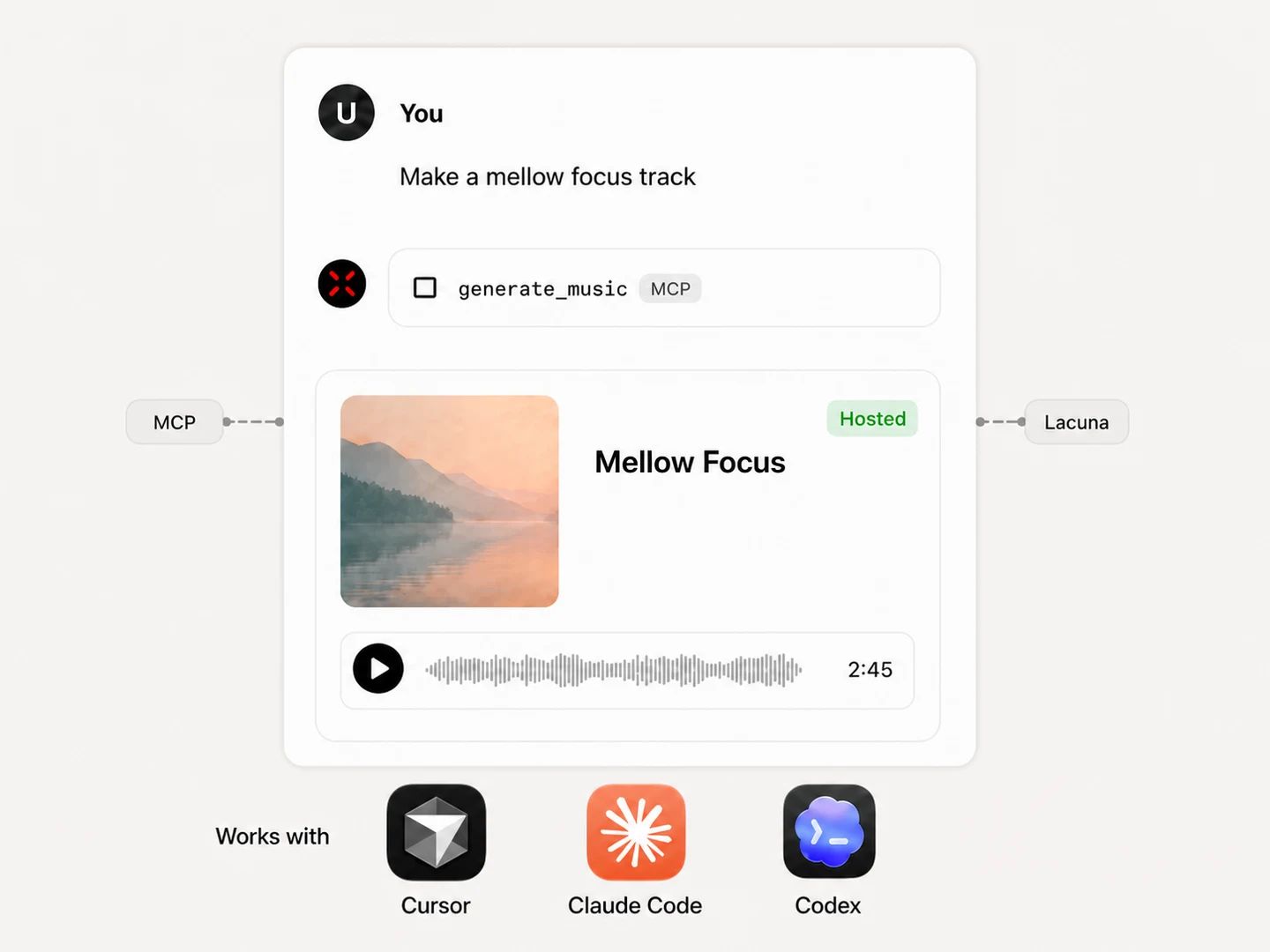
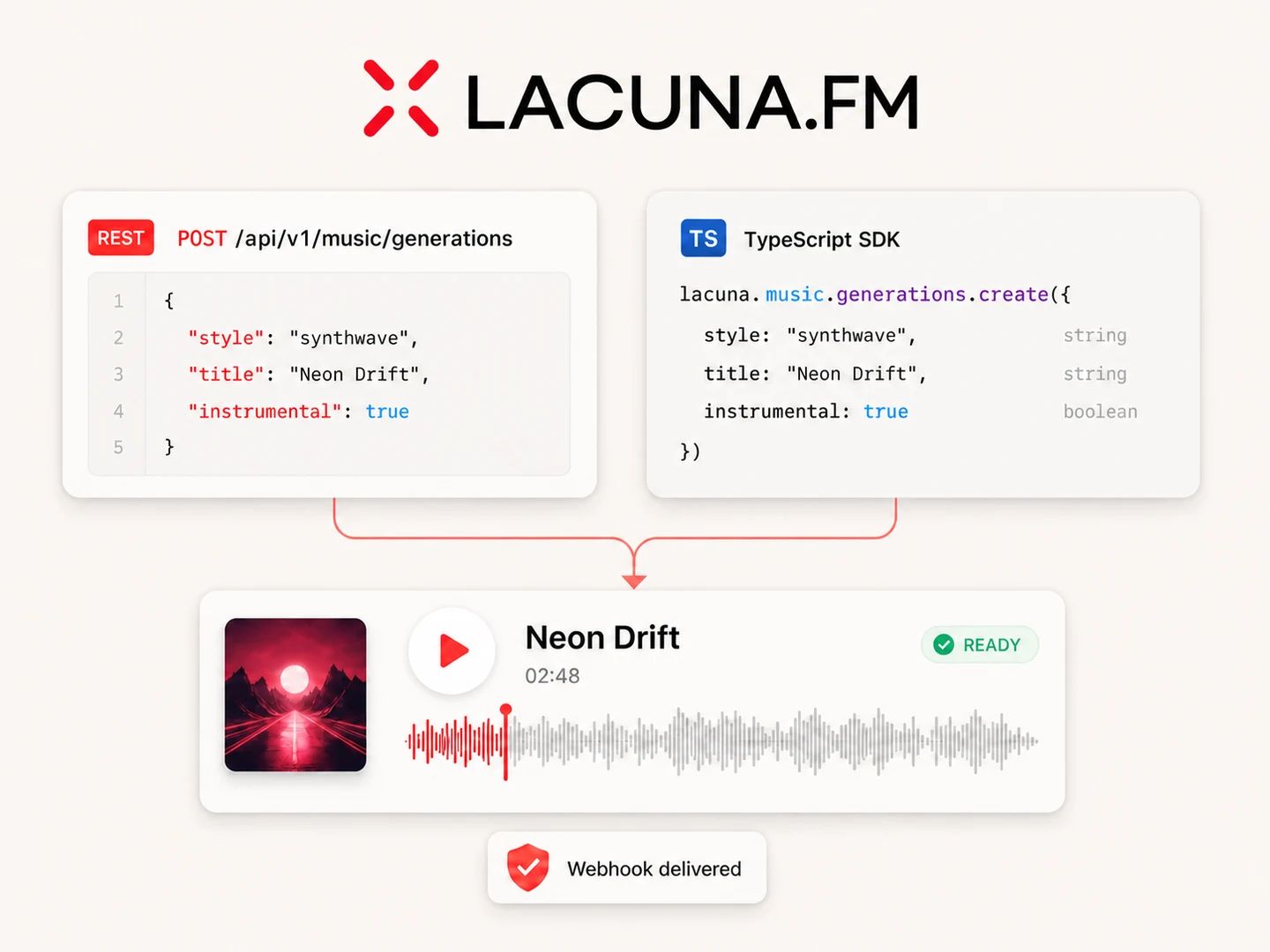
The same Lacuna Music API is available through direct HTTP calls, a typed SDK, command-line tools, and an MCP server for Cursor, Claude Code, Codex, and other coding agents.
Call the HTTP endpoints from any language and inspect every request and response in the OpenAPI reference.
View API ReferenceCreate and retrieve generations with typed methods, waitFor polling, structured errors, and webhook verification.
Read the QuickstartGive compatible coding agents access to music generation through the Lacuna MCP server.
Use with AI AgentsUse complete generated tracks inside interactive products or automate music production behind your content and agent workflows.
Let users generate original tracks, score prototypes, and create music for interactive scenes without leaving your product.

Automate original music for videos, podcasts, campaign assets, playlists, and tasks initiated by your coding agent.
The API creates complete instrumental tracks or vocal songs. Every request includes a title and style description; vocal generations also require lyrics supplied by your application.
No. For a vocal generation, your application supplies the lyrics. Use Lacuna's separate lyrics tools if you need to create lyrics before sending the music request.
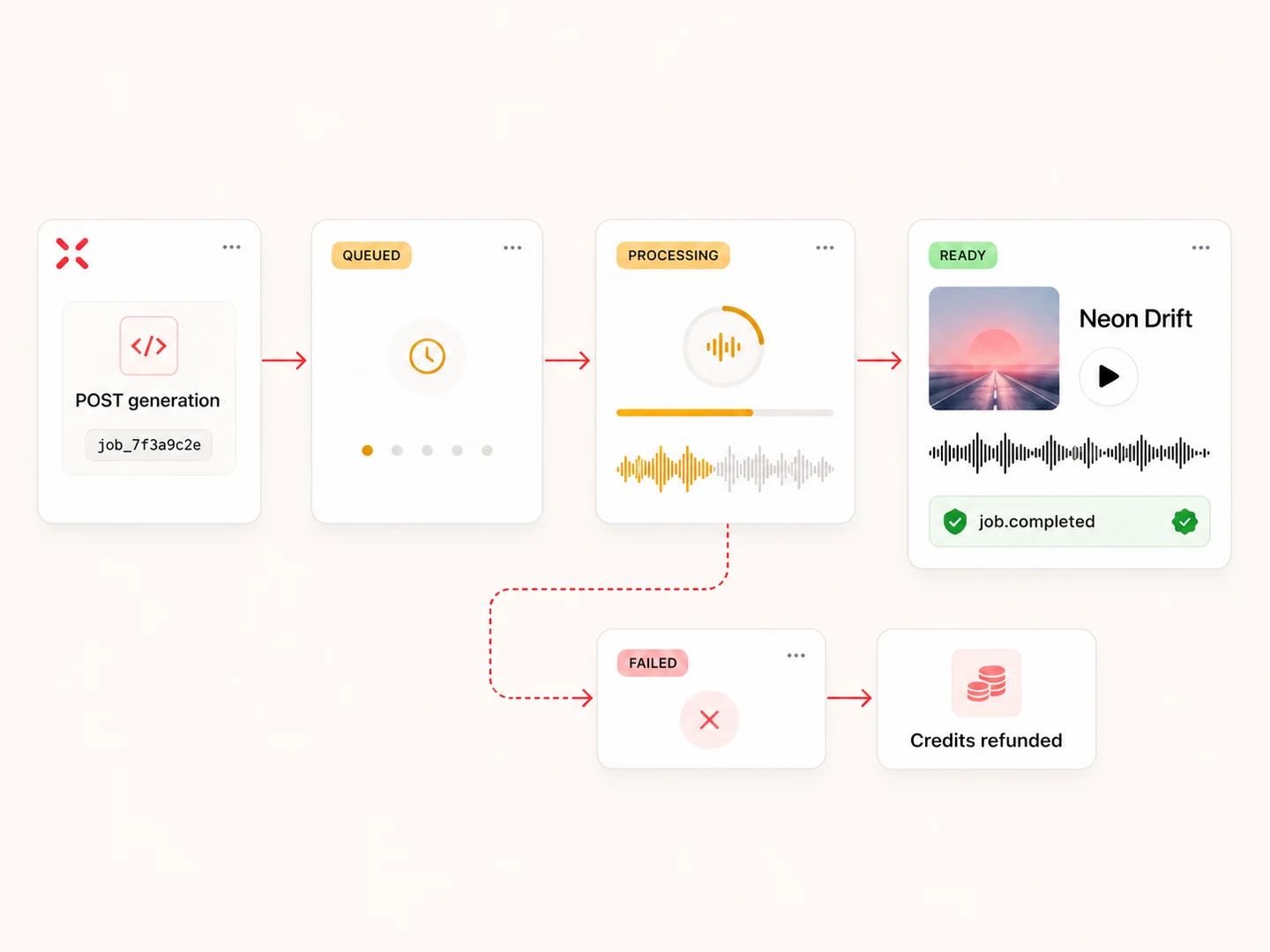
No. Creating a generation returns an asynchronous task. You can poll its status, use the TypeScript SDK's waitFor helper, or subscribe to signed job.completed and job.failed webhooks.
Create an API key in your Lacuna profile, keep it in a secrets manager, and send it as a Bearer token. Keys can be rotated or revoked from the same dashboard.
Yes. Install the official lacuna-mcp server, add your Lacuna API key to the agent's MCP configuration, and ask for tracks in natural language. The same tools work in Cursor, Claude Code, Codex, and other MCP-compatible clients.
The Music API is available on Pro and Ultra plans. Usage is credit-based; current plan details are listed on the pricing page.
The creation endpoint allows 60 requests per minute per API key. Default concurrent generation limits are 10 tasks on Pro and 20 on Ultra; account-specific overrides may apply.
Credits are deducted when the task is created and refunded automatically if the generation fails. Typed errors and webhook events let your application handle the failure explicitly.
Songs generated during an active Pro or Ultra subscription are covered by Lacuna's commercial license, and those commercial rights continue after the subscription ends.
Create an API key, copy a ready-to-run cURL command, or connect Cursor, Claude Code, and Codex through the Lacuna MCP server.