Compress MP3 files
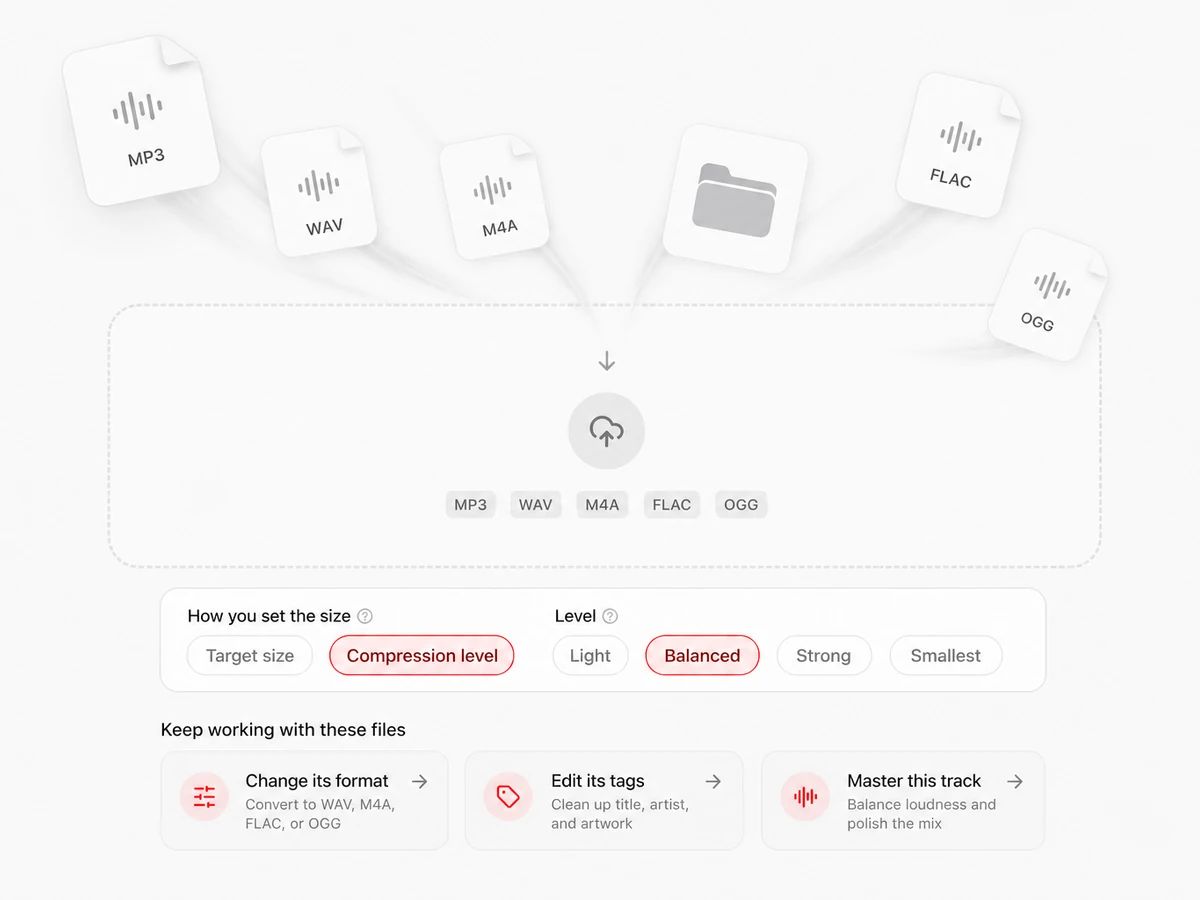
Drop in one file or a folder full of them. Any format your browser can read goes in — MP3, WAV, M4A, FLAC, OGG — and an MP3 comes out, encoded on your own machine.
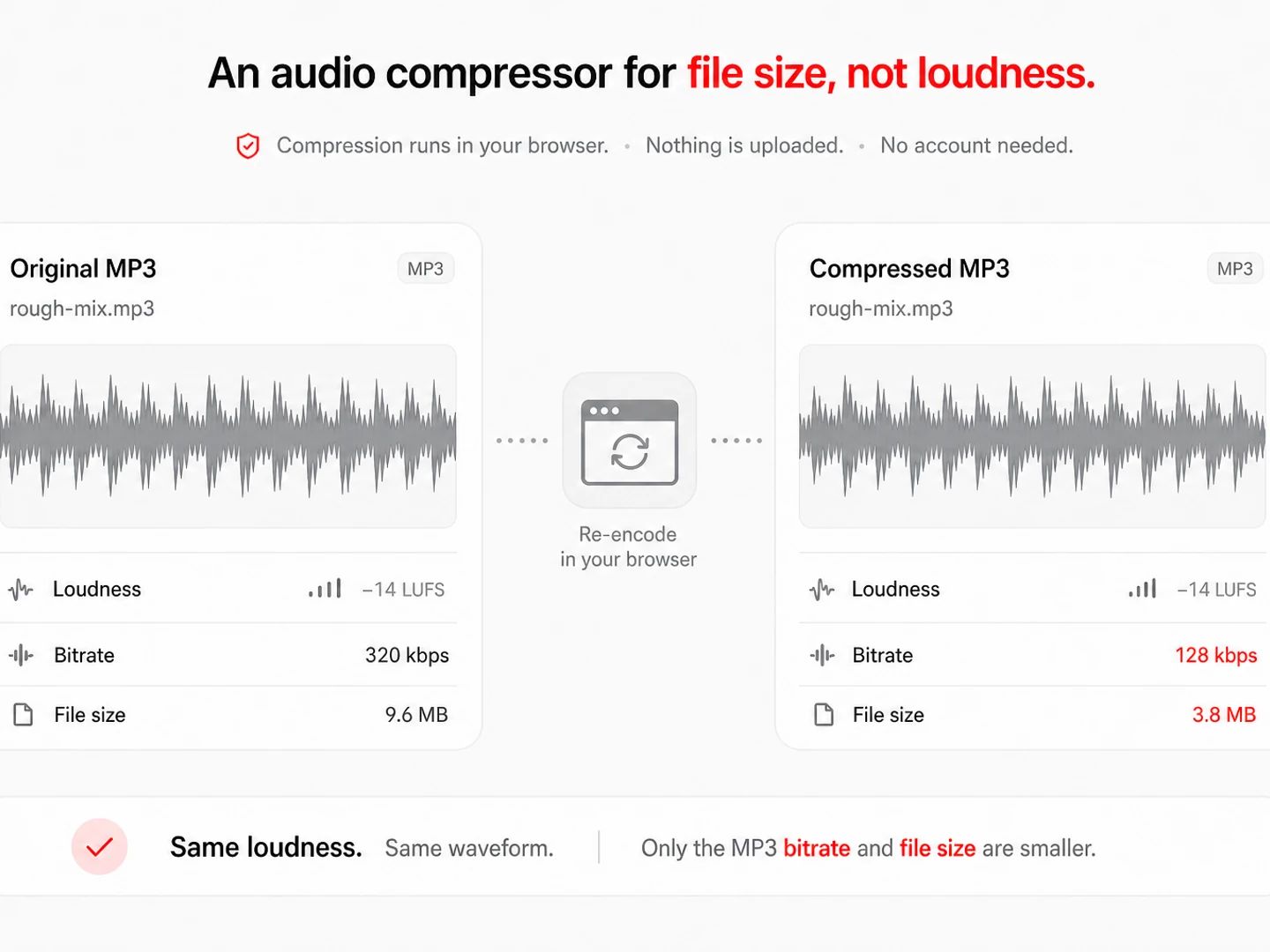
Compression runs in your browser. Nothing is uploaded, and no account is needed.
Keep working with these files
MP3 Compressor
How to compress MP3 files
Drop in the files that are too big
One file, a folder of them, or a pile of mixed formats — it makes no difference. The page reads each file straight off your disk and decodes it there, so a rough mix nobody has heard yet stays on your machine.
Say how big it is allowed to be
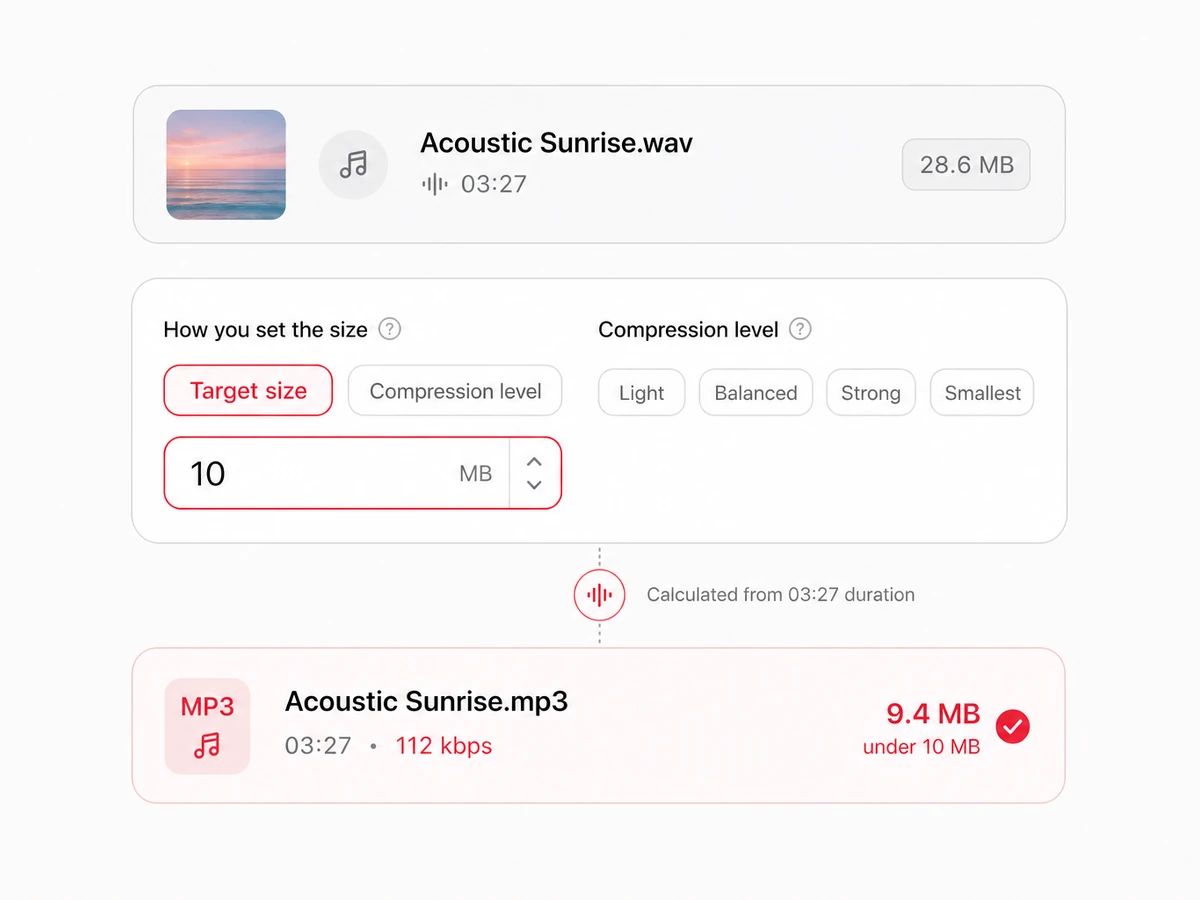
Type a number of megabytes and the bitrate is worked out from the length of the track, so the finished MP3 lands under it. Prefer to think in quality instead? Switch to Compression level and pick Light, Balanced, Strong or Smallest.
Download one file, or the whole batch
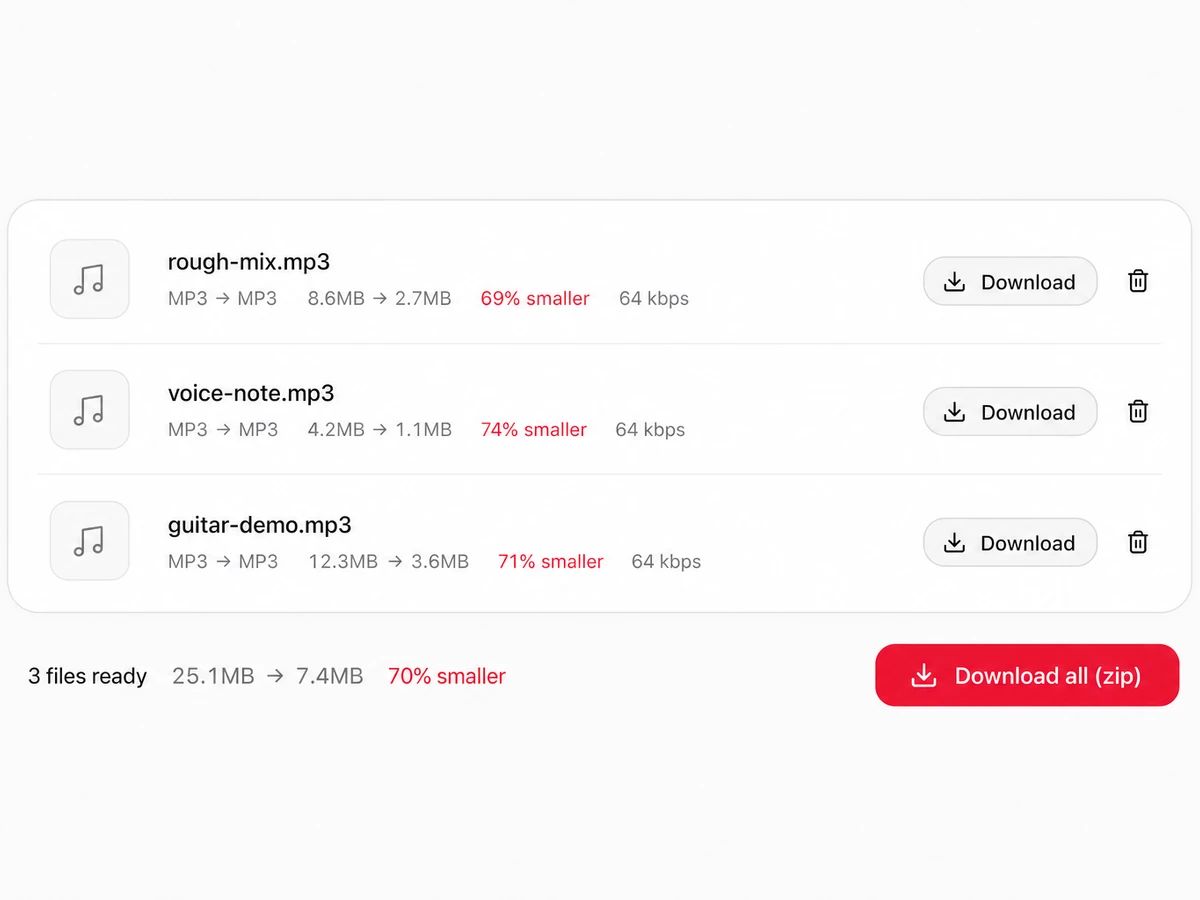
Every row prints the size before, the size after and the bitrate that was used, so you can see what the smaller number cost you. Take files one at a time or zip the lot in a single click.
A Compressor That Only Changes File Size
An audio compressor for file size, not loudness
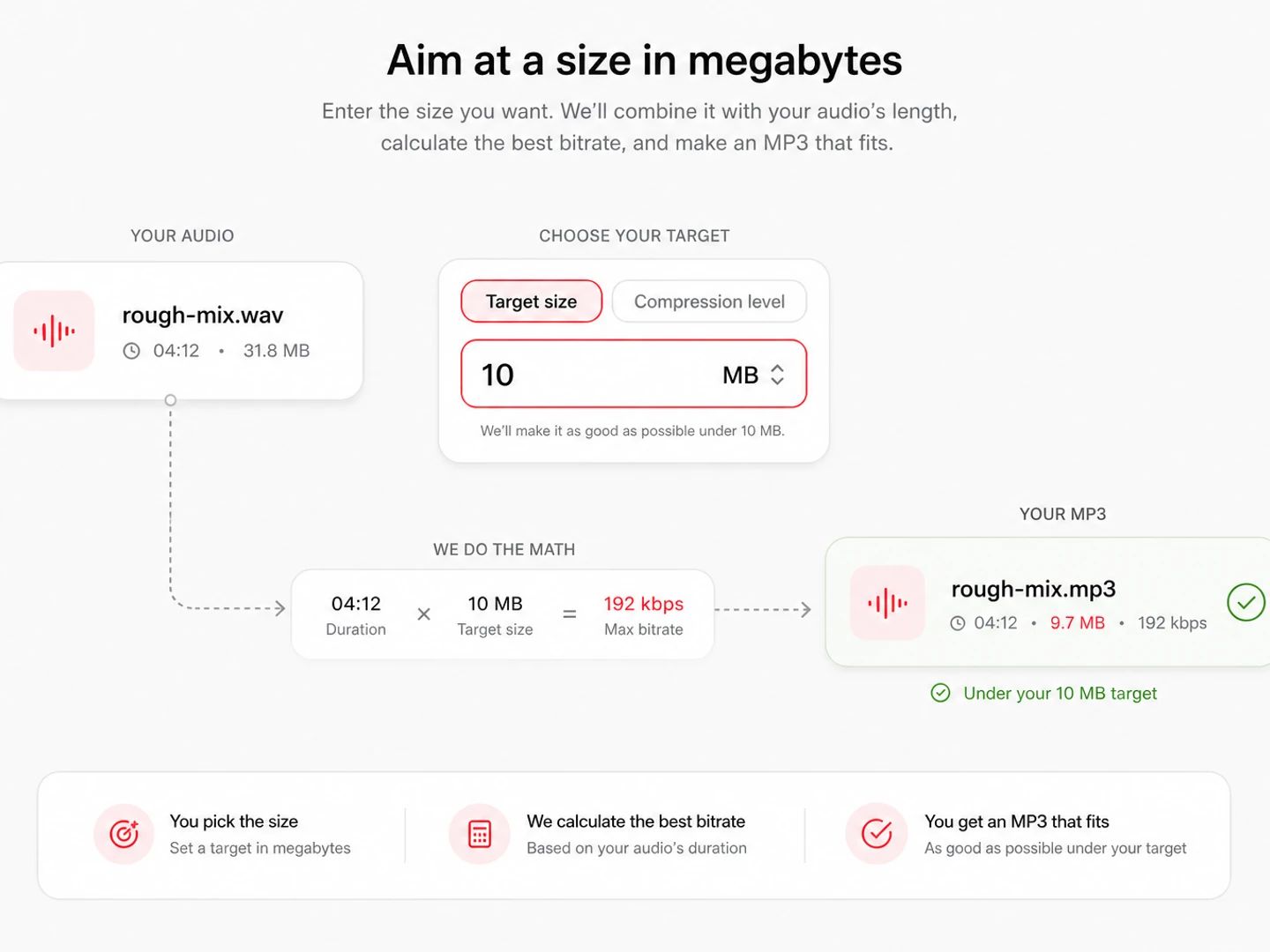
Aim at a size in megabytes
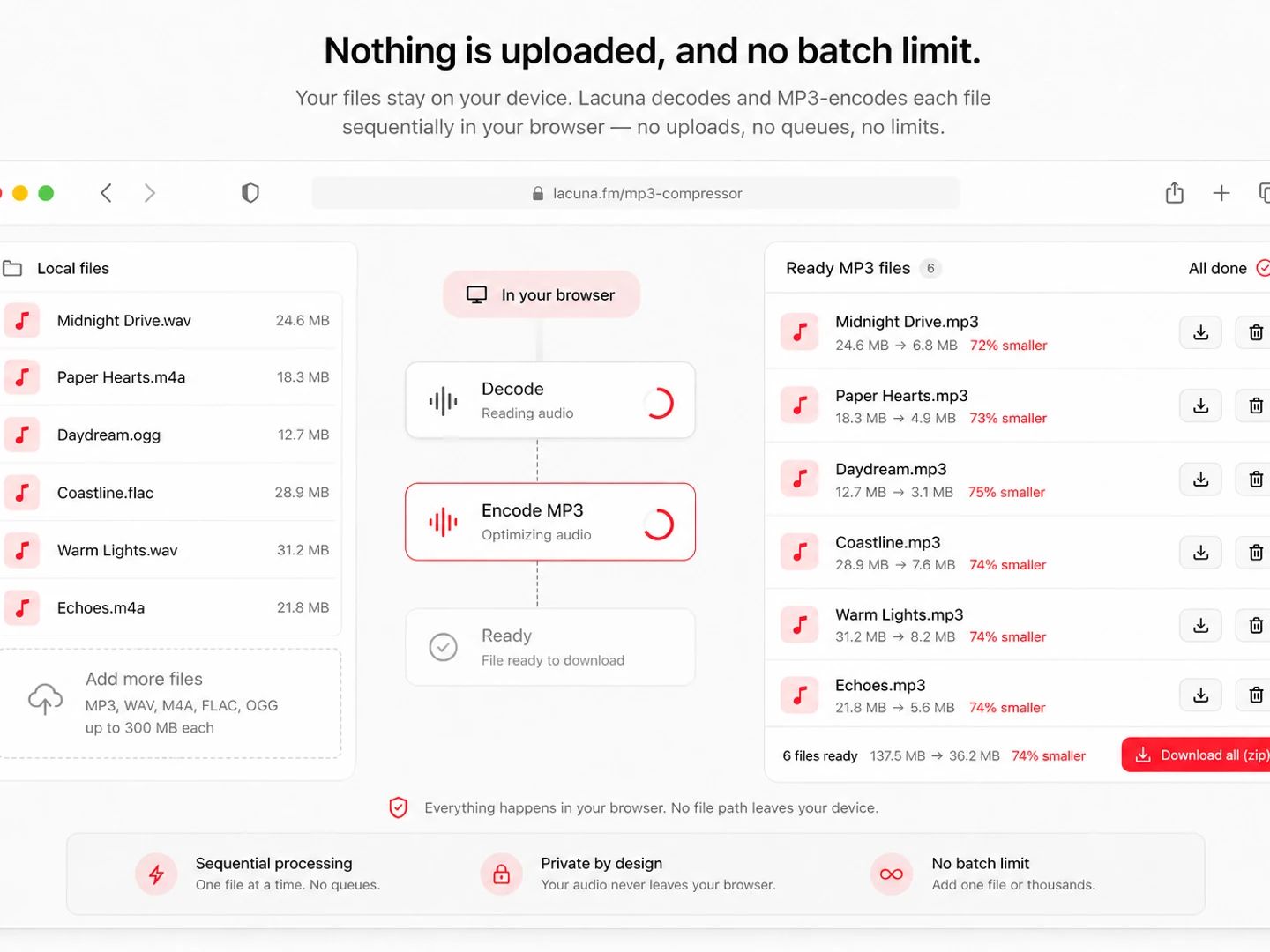
Nothing is uploaded, and no batch limit
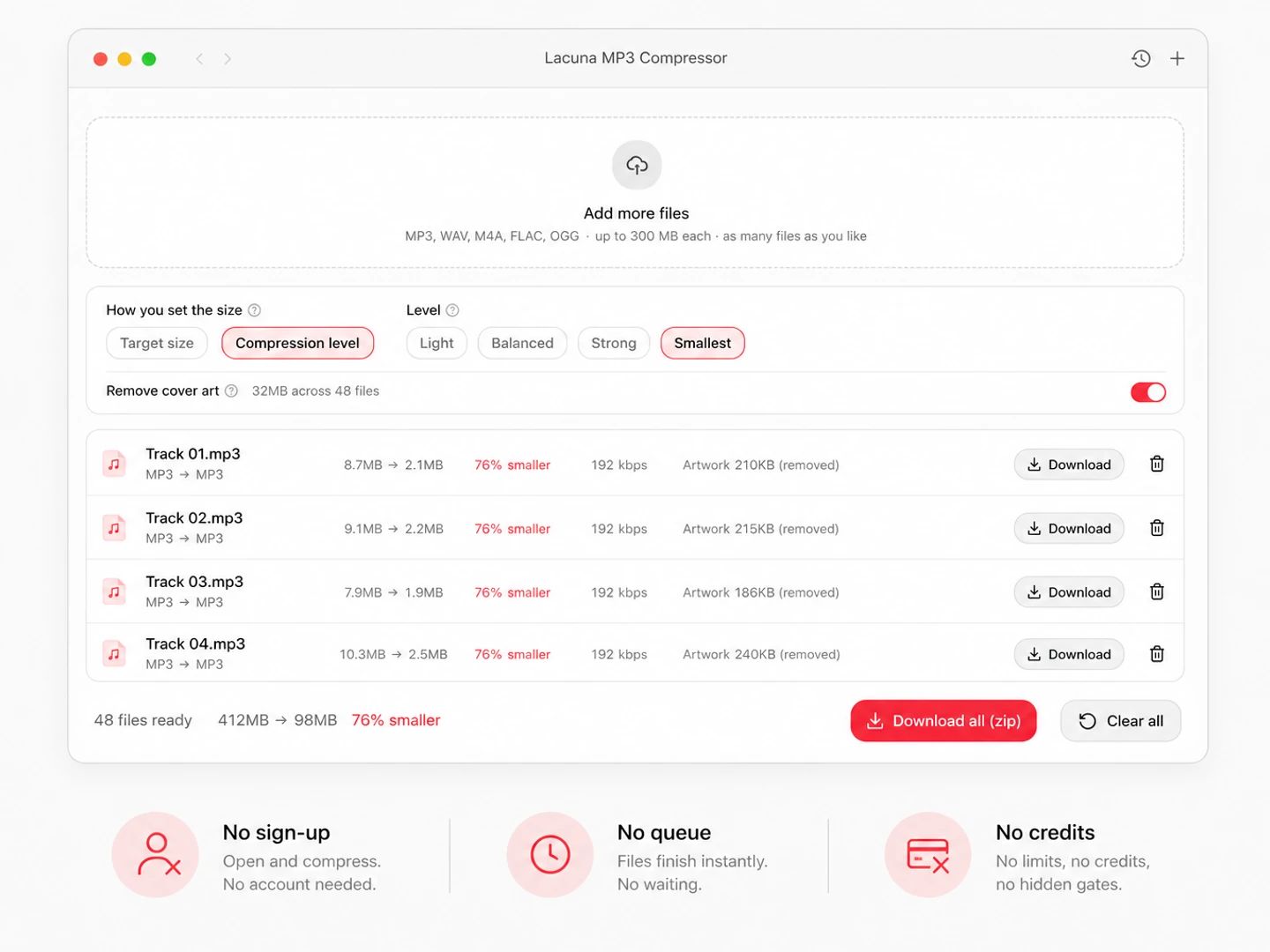
Free, no account, no daily cap
Bitrate Is What Sets The File Size
An MP3's size is close to its bitrate multiplied by its length, and almost nothing else. Compressing one therefore means choosing a lower bitrate, so the only real question is how much detail you can spare. Here is what the two ends of the range look like.
| 128 kbps | 320 kbps | |
|---|---|---|
| Size per minute | About 1 MB | About 2.4 MB |
| A 4-minute track | Around 3.8 MB | Around 9.6 MB |
| An hour-long recording | Around 58 MB | Around 144 MB |
| Good for | Speech, interviews, voice notes, anything facing a hard size cap | Music you intend to keep, or a file someone else will work from |
| What you lose | Cymbals and room air thin out; busy mixes pick up a glassy edge | Very little that most people can hear on most material |
| When to pick it | The megabyte count matters more to you than the last of the detail | You have room to spare and would rather not hear any difference |
How small do you need it?
The floor here, and the quickest way under a mail attachment limit. Speech holds up well at this rate; music audibly loses its top end.
A middle setting that keeps music comfortable to listen to while still taking about 40 percent off a 320 kbps file.
Where most listeners stop hearing a difference on decent headphones, and still a fifth smaller than 320.
The MP3 ceiling, so not really a compression setting. Pick it when you are turning something into an MP3 rather than shrinking one.
MP3 compression questions
Drop the MP3 into the tool above, type the size you need in megabytes, and download the result. Because size tracks bitrate almost exactly, the highest bitrate that still fits your number is the one used. There is no upload and no account — the encoding runs inside this page.
Leave the control on Target size, type 14, and drop the file in. The bitrate comes from how long the audio is, so a five-minute song fits inside 14 MB without even leaving 320 kbps, while an hour-long recording drops to about 24 kbps to make the same number. Every row shows the bitrate it settled on and the size it landed on.
No. Your browser decodes the audio and an MP3 encoder bundled with the page writes the smaller file; nothing leaves your device and no copy is kept anywhere. That is also why there is no queue and no daily cap — there is no server bandwidth for anyone to pay for.
No file count, no daily limit, no paid tier. Drop in a whole folder if you like; files are handled one after another so memory stays under control. The only ceiling is 300 MB per file, which is where a browser tab starts running out of room to hold decoded audio — anything larger is turned away with a message instead of taking the page down.
Yes. MP3 is a lossy format, and re-encoding at a lower bitrate discards more than the first encode did. At 256 kbps most people cannot hear it; at 128 kbps speech stays clean while music thins out on top. Your original file is untouched — this writes a new copy. What does not change is how loud the track is or how the mix sits; only the file size moves.
Read it off the bitrates: 320 to 128 kbps takes about 60 percent off, 320 to 192 about 40 percent. Starting from a lossless file is far more dramatic — a 4-minute stereo WAV is roughly 40 MB and comes out under 4 MB at 128 kbps. Every row shows the before and after size, so you never have to work it out in advance.
Yes, with no sign-up and no paid tier. Your own hardware does the encoding, so there is no per-file cost for us to pass along.
Need A Different Format, Not A Smaller File?
Convert from MP3
Pairs without a page of their own open the full audio converter with the output already chosen.
Get that MP3 under the size limit
A free MP3 compressor that takes a target size in megabytes, handles a whole batch at once, and never uploads your audio.