Album Cover Size Guide — Exact Dimensions for Spotify, Apple Music, Vinyl, and CD

If you only need one number: make your cover 3000 × 3000 pixels, perfectly square, RGB, saved as a high-quality JPG. That single file clears every major streaming platform and every major distributor on the market today.
The rest of this guide exists because almost nothing else about cover art sizing is that simple. "Minimum" and "recommended" are different numbers on every platform, the most-quoted specs online are not in any official document, and print — CD and vinyl — runs on a different calculation entirely. Every figure below comes from the platform's or printer's own published requirements, linked in place.
Streaming specs at a glance
| Platform | Minimum | Recommended / ceiling | Format notes |
|---|---|---|---|
| Spotify | 640 × 640 | up to 10,000 × 10,000 | TIFF/PNG/JPG, sRGB, 1:1, no upscaled images |
| Apple Music | 1400 × 1400 | 3000 × 3000 or larger | JPEG/PNG, RGB only — CMYK is rejected |
| YouTube Music | 1400 × 1400 (recommended min) | 4098 × 4098 max | PNG/JPEG, square |
| Deezer | 3000 × 3000 (for independent artists) | 4096 × 4096 ingestion max | PNG/JPEG |
| Amazon Music | no public spec | — | your distributor's spec applies |
| Tidal | no public spec | — | your distributor's spec applies |
And the distributors, which are the gates most independent artists actually pass through:
| Distributor | Minimum | Target / ceiling | Hard rules |
|---|---|---|---|
| DistroKid | 1000 × 1000 | 3000 × 3000 "works best" | JPG only; RGB enforced (CMYK errors out); square strongly recommended |
| CD Baby | 1400 × 1400 | 3000 × 3000 ceiling | JPG/PNG/GIF, ≤25MB, perfect square required, cover text must match metadata |
| TuneCore | 1600 × 1600 | 3000 × 3000 ceiling | JPG/PNG/GIF, ≤10MB, perfect square required |
Where 3000 × 3000 actually comes from
Spotify never asks for 3000 pixels. Its official cover art requirements accept anything from 640 × 640 up to 10,000 pixels square, delivered as TIFF, PNG, or JPG in sRGB — with one notable ban: upscaled images.
The 3000 figure is a distributor convention that hardened into a standard. Apple recommends 3000 × 3000 (minimum 1400 × 1400). DistroKid calls 3000 × 3000 ideal, while CD Baby and TuneCore both set it as their upper limit. Deezer lists 3000 × 3000 as the minimum it expects independent artists to prepare. When the ceilings and the recommendations converge on the same number, that number is the standard.
The minimums, meanwhile, agree on nothing: 1000 at DistroKid, 1400 at CD Baby and Apple, 1600 at TuneCore, 640 at Spotify itself. So is a 2000 × 2000 cover good enough? It passes every gate above — but it sits below Apple's recommendation and below both ceilings, and no platform rewards the smaller file. There is no reason to stop short of 3000.
Two rules are less visible than the pixel counts and rejected more often. Color mode must be RGB — Apple's asset guide states CMYK files "will not be accepted," and DistroKid's uploader errors out on them. And both Spotify and Apple explicitly reject images that were upscaled from smaller originals — blurry enlargement is treated as a quality defect, not a workaround.
Print runs on inches, not pixels
Physical formats are defined in inches, and pressing plants convert at 300 DPI — Disc Makers' rule is simply inches × 300. That produces a different set of targets:
| Format | Physical size | Pixels at 300 DPI | With 1/8" bleed |
|---|---|---|---|
| CD booklet cover | 4.75" × 4.75" (120 mm) | 1425 × 1425 | 1500 × 1500 |
| 7" single jacket | 7.25" × 7.25" | 2175 × 2175 | 2250 × 2250 |
| 12" LP jacket | 12.375" × 12.375" | 3713 × 3713 | 3788 × 3788 |
The 12" jacket dimension is the industry's standard nominal size, confirmed independently by Disc Makers and pressing plant Microforum; individual plants trim a few hundredths of an inch differently, so final art should always be laid out on the specific plant's template.
Here is where the streaming standard breaks:
A 3000 × 3000 file spread across 12.375 inches yields about 242 DPI — roughly 20% under the 300 DPI minimum that United Record Pressing, Disc Makers, and duplication.com all require. The same file on a 4.75-inch CD booklet works out to 631 DPI, which is why a streaming-grade cover reprints fine on CD but not on vinyl.
Print also brings two requirements streaming files never carry. Artwork needs 1/8" of bleed on all four sides — image that extends past the trim line so an imperfect cut never shows white paper — plus a matching 1/8" safety margin keeping text away from the edge. And plants print in CMYK, the opposite of the RGB that every streaming platform demands, so the conversion (and its slight color shift) has to happen somewhere deliberate, not silently inside an uploader.
The odd formats around the cover
A release usually needs more than the square. These are the specs platforms publish for the satellite assets — and one they notably do not:
- Spotify Canvas — the looping visual behind a track — is a 9:16 vertical MP4 or JPG, 720 to 1080 pixels tall, 3 to 8 seconds, per the official Canvas guidelines.
- Spotify artist profiles require an avatar of at least 750 × 750 and a header of at least 2660 × 1140, with no text or promotion allowed in either, per the artist image guidelines.
- Spotify playlist covers are the myth in the room: the widely quoted "300 × 300 JPEG under 4MB" appears nowhere in Spotify's current documentation, which publishes content rules but no technical spec at all.
- SoundCloud wants only 800 × 800 for a native track upload (under 2MB) — but the moment you distribute through SoundCloud to external stores, its distribution guidelines jump to a hard 3000 × 3000 at 300 DPI.
- Bandcamp asks for a square of at least 1400 × 1400 and offers the most honest guidance in this genre: "bigger is better." Without art, a release is excluded from search and Discover entirely.
Why covers get rejected when the pixels are right
Distributors reject far more covers over content than over resolution. The rules are strict, specific, and mostly shared across DistroKid, CD Baby, and TuneCore:
- No URLs, QR codes, email addresses, or prices. Anywhere on the image.
- No social logos or handles, and no store names or logos — "iTunes Exclusive" gets a release refused.
- No references to physical or rival formats: the words "CD," "DVD," or "Digital Exclusive" on a digital cover are rejection triggers.
- No blurry, pixelated, stretched, or rotated images — which is also where the no-upscaling rule bites.
- Text must match metadata exactly at CD Baby and TuneCore. CD Baby's own example: if the artist field says "Bruce Springsteen," a cover that reads "Bruce Springsteen & The E Street Band" fails.
Each service also keeps one house rule of its own: DistroKid may reject the same artwork reused across different releases, CD Baby bans time-sensitive words like "new," and TuneCore rejects layouts where the image sits in one corner of an otherwise empty canvas. SoundCloud's distribution arm adds one more worth knowing in 2026: AI-generated artwork must be backed by license documentation showing you hold the rights to use it.
One master, every spec
The practical takeaway is a pipeline, not a number. Generate or design the cover once as a square, produce one high-resolution master, and derive every deliverable from it by scaling down — never up:
- Master at 4096 × 4096. That covers the 12" vinyl jacket with bleed (3788), and downscaling produces clean files for everything else.
- Export 3000 × 3000 for distribution — at or under every distributor's ceiling, at Apple's and Deezer's recommendation, comfortably above every minimum.
- Keep it RGB for stores, convert to CMYK only for print, on the pressing plant's template, with bleed.
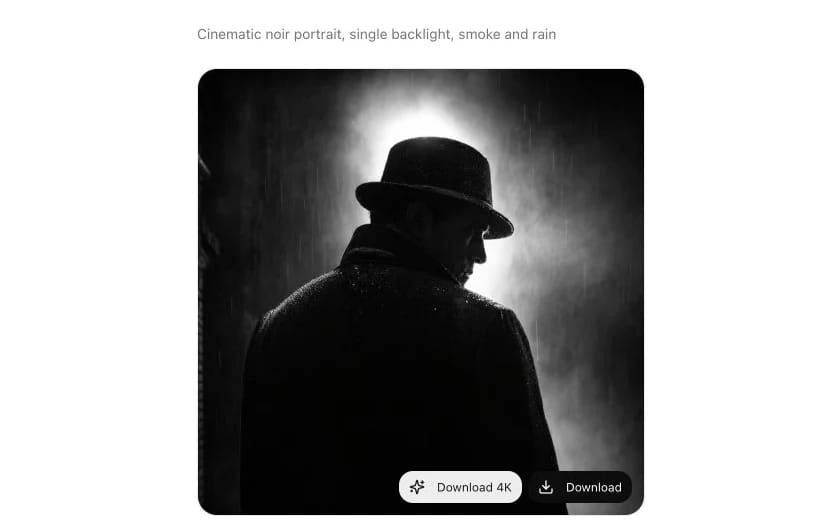
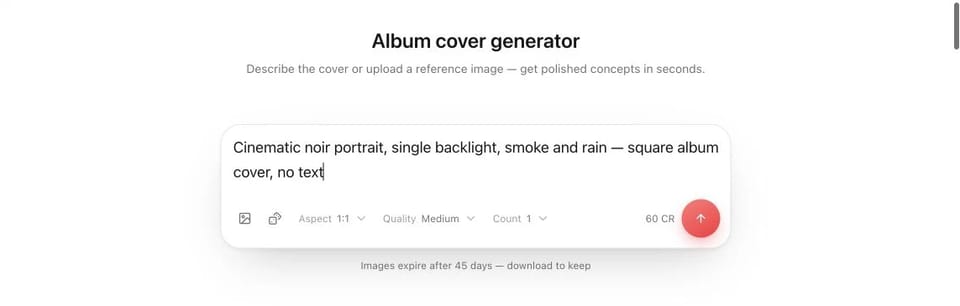
This is the pipeline the Lacuna album cover generator follows: covers generate as squares from a text prompt or reference image, and a one-click 4x upscale produces the 4096 × 4096 master — past vinyl's 300 DPI bar and every streaming requirement in this guide. The content rules, though, no tool can automate: before uploading, check the cover for stray text, logos, and anything that contradicts your metadata. That, not the pixel count, is what actually gets covers bounced.